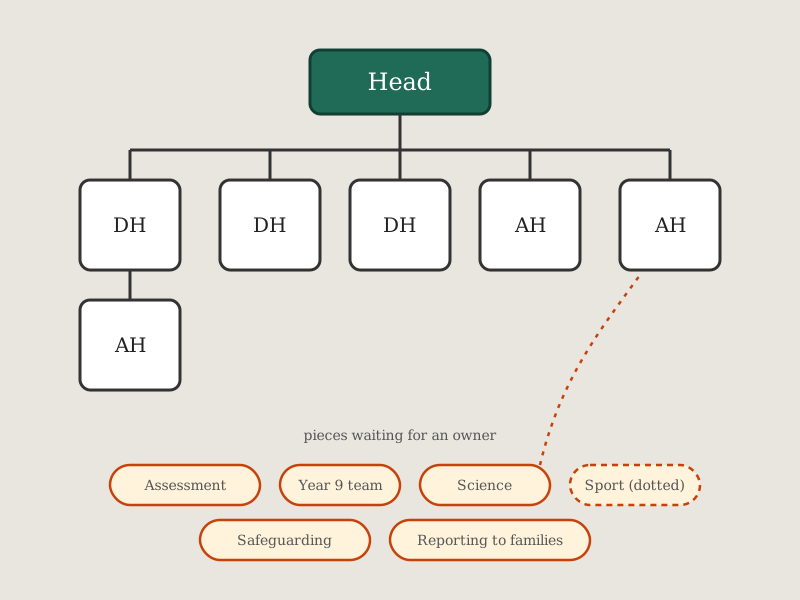
The senior leadership team I work in had to decide how it should be organised for the next school year. One senior post was about to fall vacant, and we wanted more senior time on teaching and learning without weakening pastoral care. The real question was which shape to choose. Three deputies and three assistants, or two deputies and four assistants? Split by year group, or by theme? And who would end up line managing whom?
Arguments like this usually happen on whiteboards and in long documents, and the reporting lines get lost. I wanted a place where each idea was a real model of the team, with the actual people and reporting lines underneath, so we could see what a change did before we agreed to it.
It started as a set of documents, then became an offline game, and ended up as a small private web app the whole team used around its workshops.
A note on the screenshots
Every screenshot on this page comes from a copy running on my laptop, filled with invented data. The names, the numbers and the workshop comments are all made up, and the school is not named. What is real is the way the tool works.
What it does
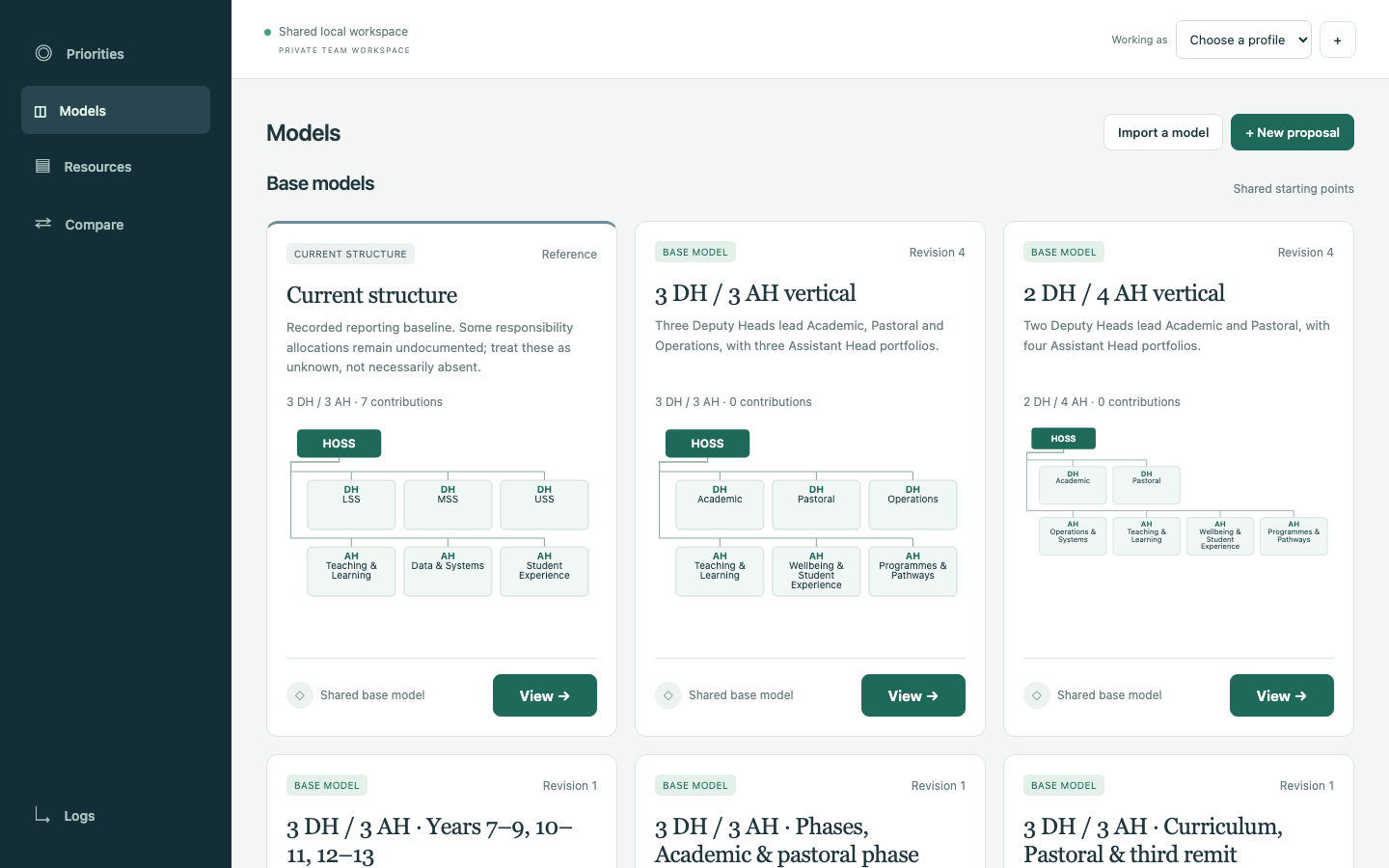
- Models. Each model is one possible shape of the team. It has the head of school, six senior posts, what each post owns and the full named organisation below them. There is a read-only copy of the current structure, a set of shared base models and personal proposals that only their owner can change. Anyone can duplicate a model and change the copy.
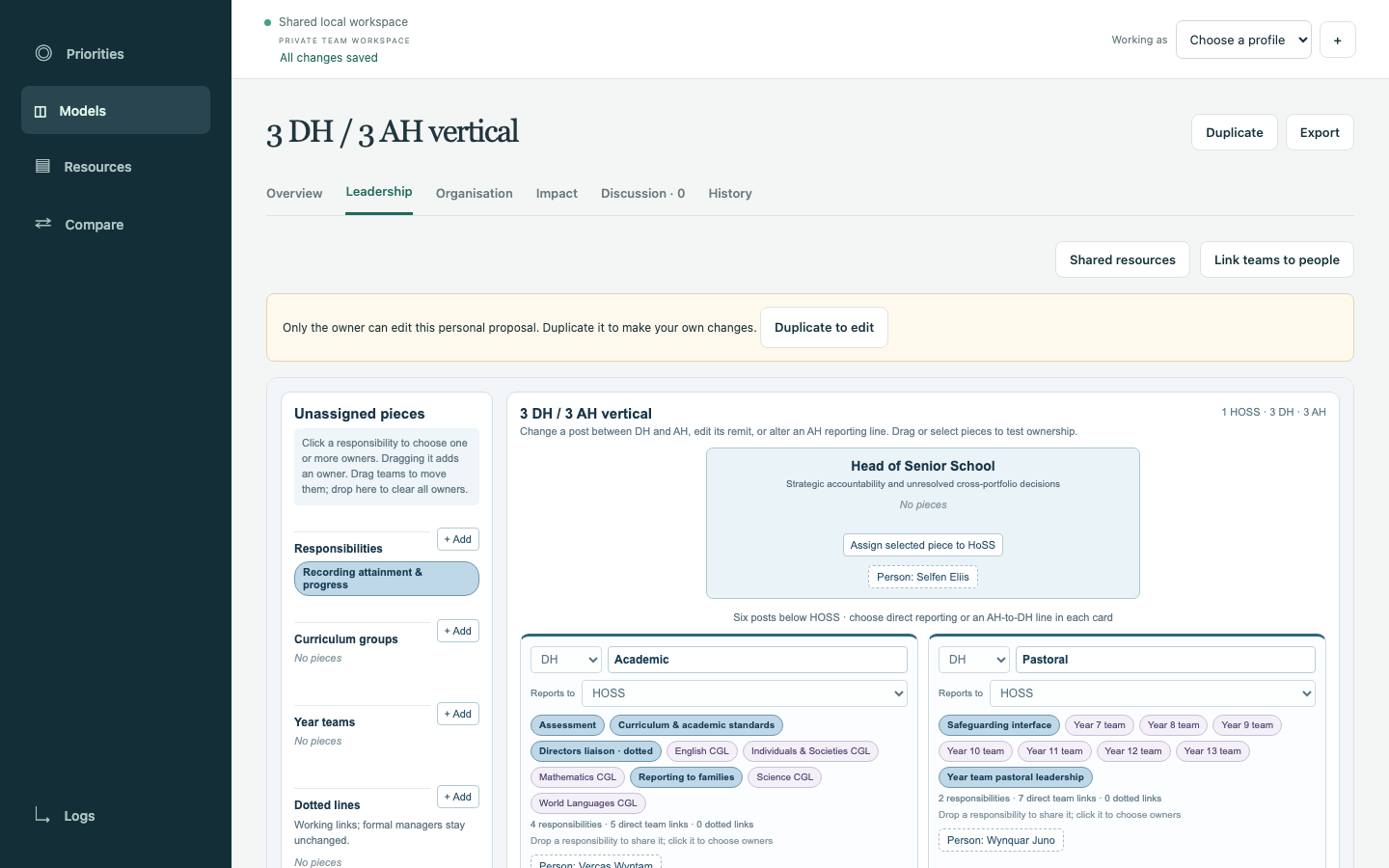
- Leadership board. This is where a model gets built. You set each post as a deputy or an assistant, give it a remit, choose who it reports to and drag pieces onto it. A piece is a responsibility, a curriculum group, a year team or a dotted working link.
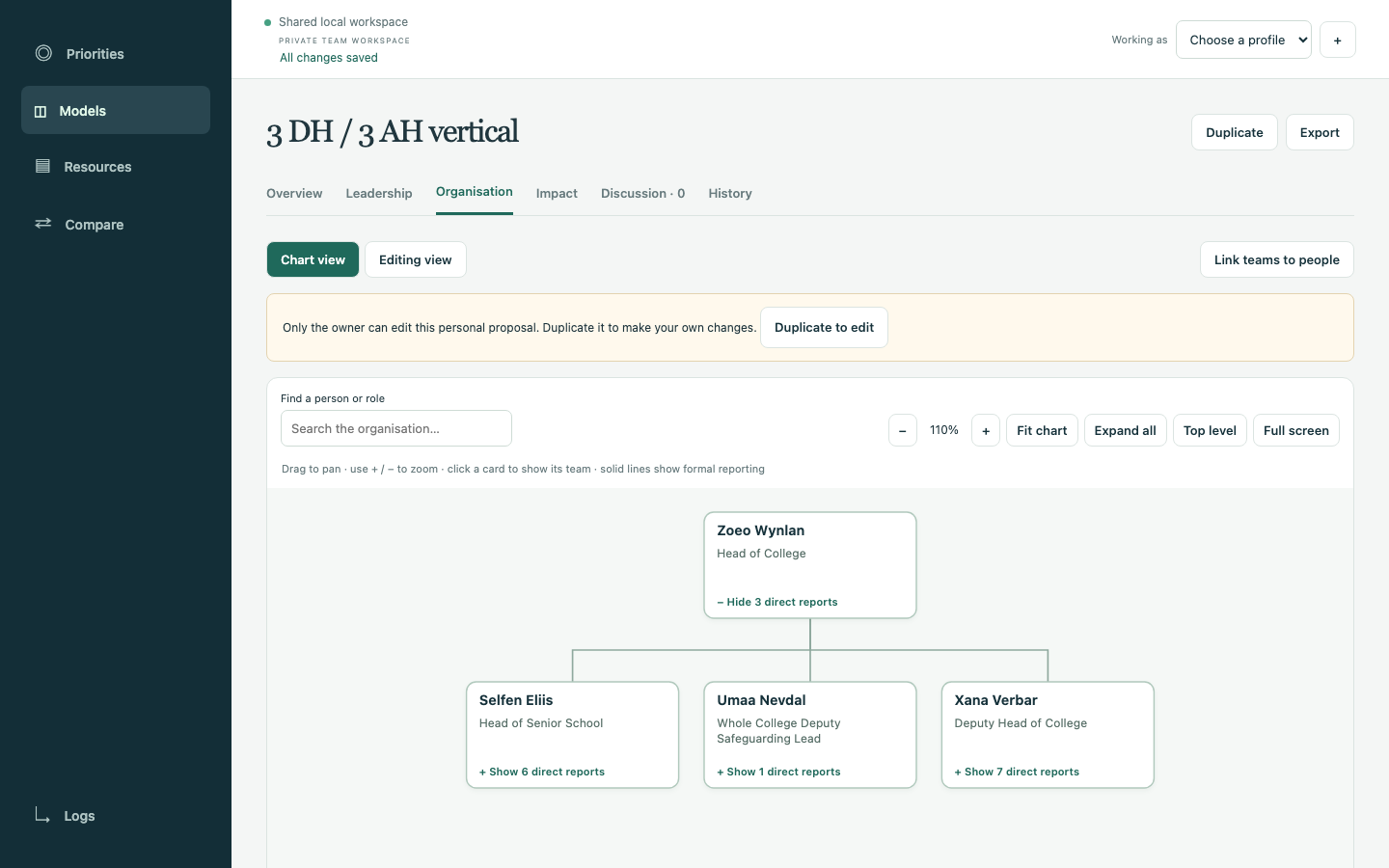
- Organisation. A top-down chart of everyone in that model, with search, zoom, expand and full screen. An editing view lets you move people, change roles and add proposed posts.
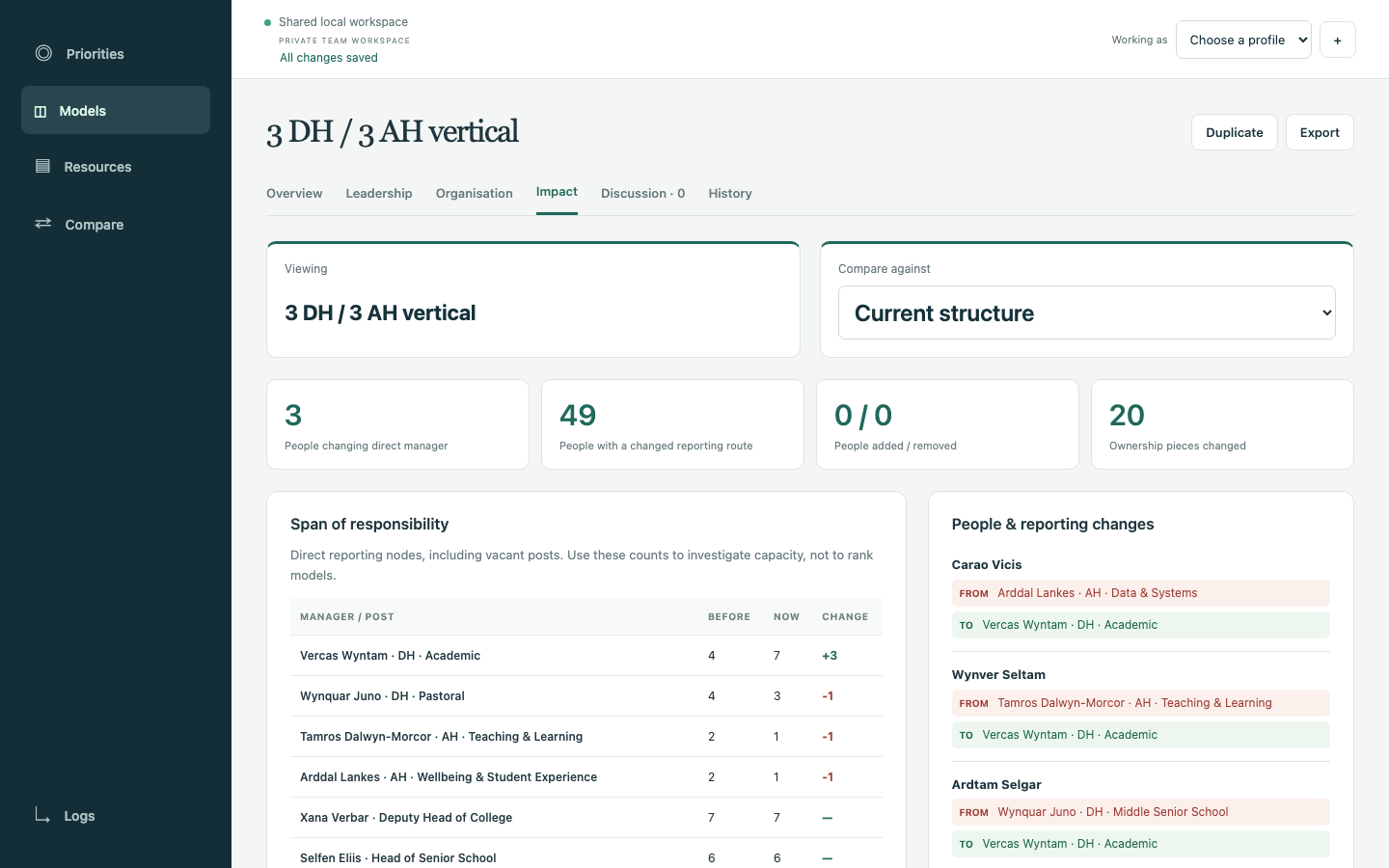
- Impact and Compare. Pick any two models and see who changes manager, whose reporting route changes, how many direct reports each leader would have and which pieces moved.
- Priorities. The team's shared list of what needs improving and what already works well. Each member rates every model against every priority.
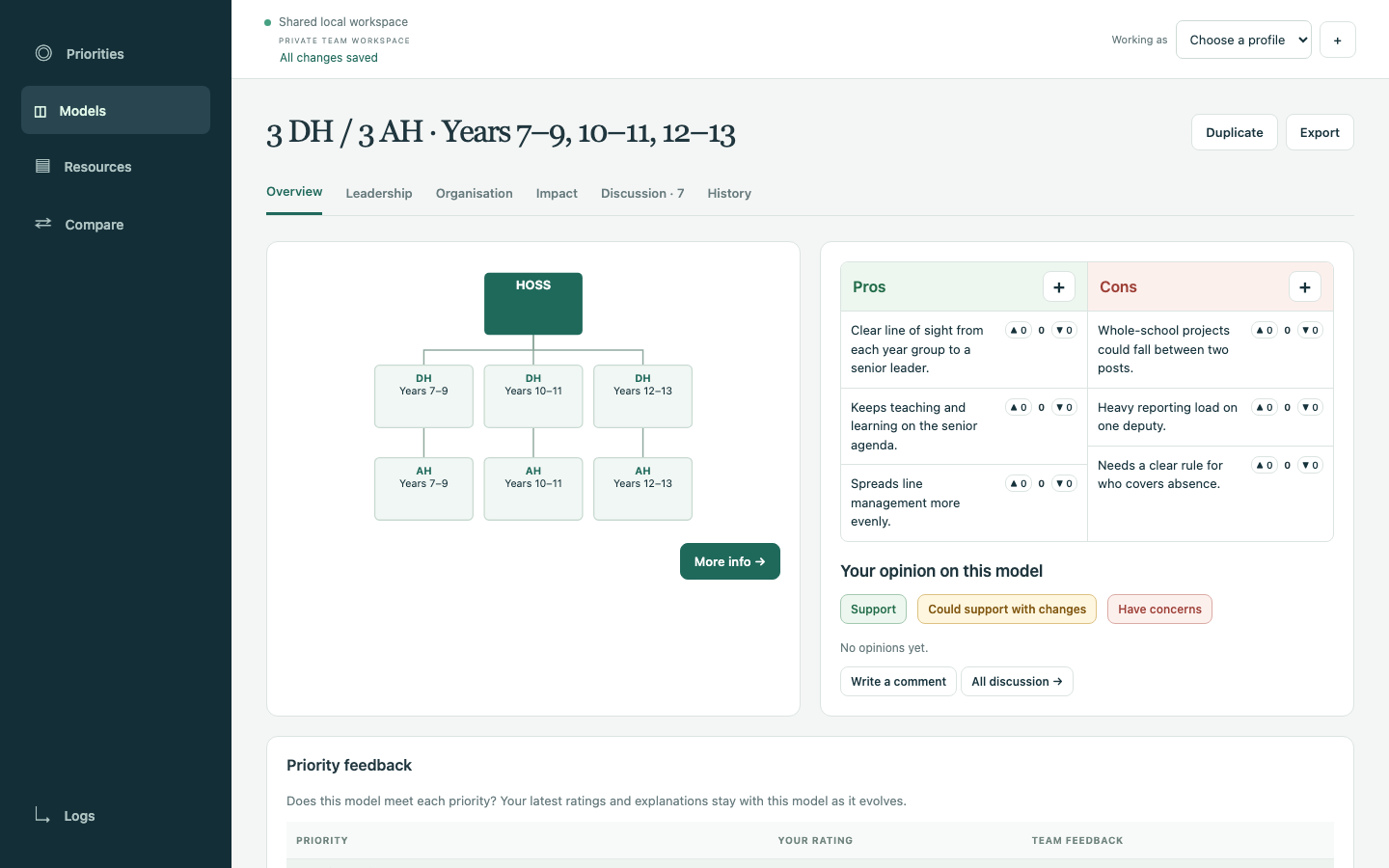
- Discussion. Pros and cons with agree and disagree reactions, comments and an opinion on each model, either support, support with changes or concerns.
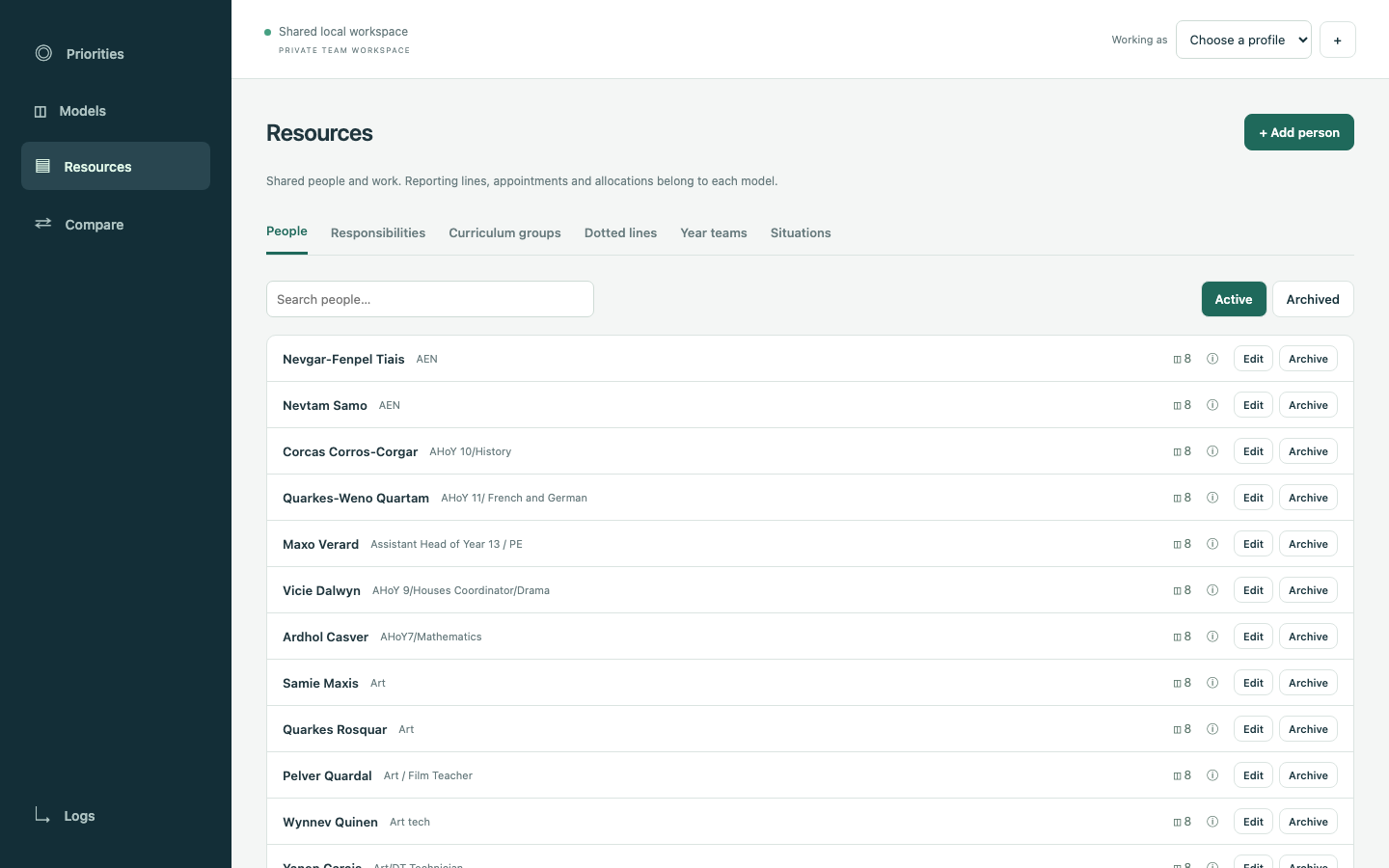
- Resources. One shared list of people, responsibilities, groups, year teams and stress-test situations, used by every model.
- Decisions. A model can be eliminated or chosen as the winner. Both freeze it, and both can be undone.
How it fits together
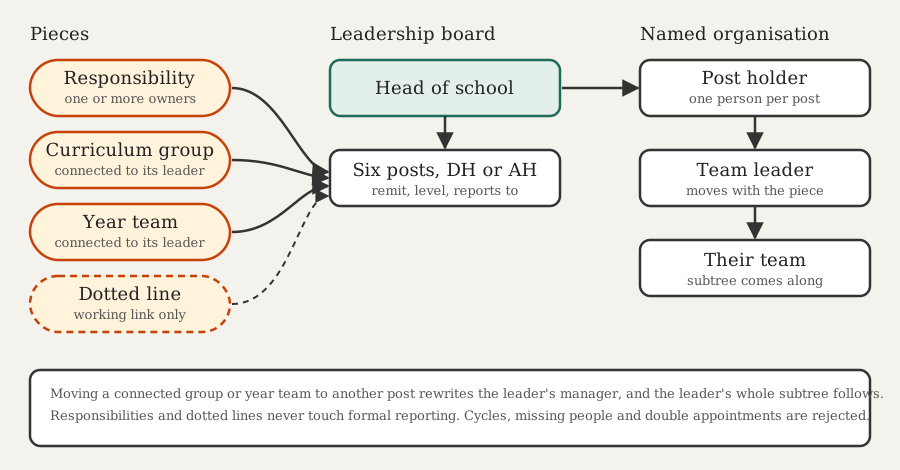
The decision that mattered most was how the leadership board and the named organisation relate. Moving a "Year 9 team" piece from one deputy to another has to change who the head of year reports to. Moving "Assessment" to a different post should not move anyone. So a curriculum group or year team can be connected to the person who leads it. Move the piece and that person's manager changes, and their whole team comes with them. Change that person's manager in the chart and the piece moves on the board. Responsibilities and dotted lines never touch formal reporting. The checks refuse a chart with a cycle, a missing manager or two people appointed to the same post.
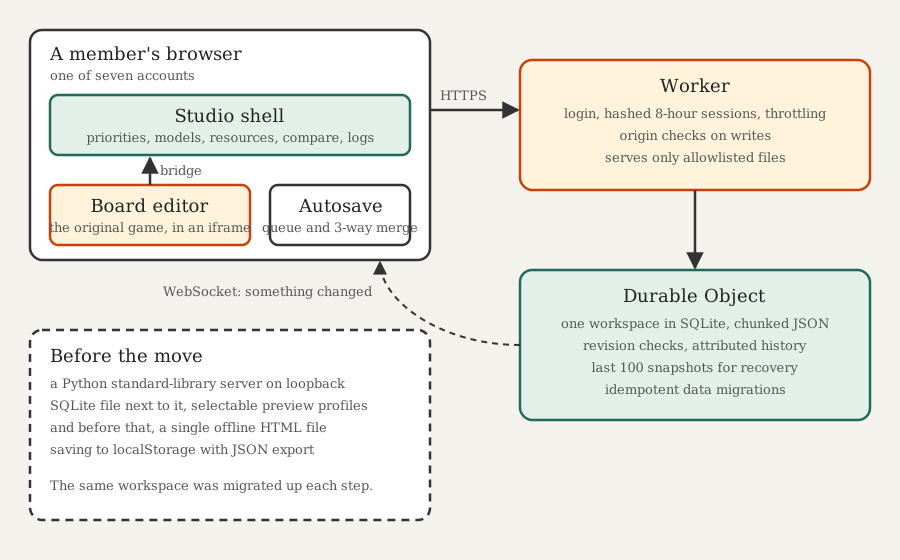
- One Worker, one Durable Object. The team shares one workspace, so a single SQLite-backed Durable Object holds all of it. Every write goes through one place, which makes revision checks simple. The JSON is split into chunks to stay under the row size limit, and the last 100 changes are kept as recovery snapshots.
- Private by default. Every page, script, PDF and API route needs a signed-in session. Only the login page and
robots.txtare public. The Worker serves files from an explicit allowlist, so source files and data never become assets by accident. - One account each, no sign-up. Each member got a long generated password. The database only holds salted PBKDF2 verifiers, sessions are hashed and last eight hours, logins are throttled and every write checks its origin. Who did what comes from the session, never from the request.
- The old editor lives inside the new app. The board editor started life as a single offline HTML file. Instead of rewriting it, the studio embeds it in an iframe and talks to it through a small bridge. That kept a working tool working while everything around it changed.
- Nobody overwrites anybody. Every save carries the revision it started from, and a stale save is refused. Changes save themselves after a short pause, and independent changes merge three ways. Two people editing the same field get asked to choose, rather than one of them silently losing. Open browsers hear about changes over a WebSocket and fall back to polling every 30 seconds.
How it grew
It all happened in about ten days, with the workshops in the middle.
- 29 September. A written proposal and an organisation chart with a staff register, built by scripts from a roster and a line-management table.
- 1 October. A full current chart that separates formal line management from working links, plus a revised proposal for the next school year.
- 2 October. A workshop kit with a facilitator guide, cut-out cards, blank canvases and the first version of the offline board game, saving to the browser with a JSON export.
- 3 October. A busy day. The game got an editable named organisation of the whole staff list. Then it became a shared studio with owned models, comments, votes and priorities, served by a small Python standard-library server with SQLite on my laptop. The models the groups drew on paper during the workshop went in as five more base models with their comments. By the end of the day it had moved to Cloudflare with real accounts, and autosave followed.
- 4 October. Votes on priorities, and a tidier priorities page.
- 5 October. Responsibilities that can have more than one owner, dotted lines as their own kind of piece, and the year's roles and responsibilities summary loaded into the current structure.
- 8 October. Eliminate and choose a winner, pieces sorted alphabetically, and clearer styles for shared and dotted pieces.
Problems worth remembering
A chart that mixes two kinds of line is useless. The first charts drew everyone who sat on the leadership team as if they reported to it. Some of them formally report to someone at whole-school level and only work with us. Dotted lines became their own kind of piece, so a model can change who works with whom without pretending to change anyone's manager.
Votes were attached to the wrong thing. At first an opinion belonged to a model's revision, so fixing a typo in a model wiped everyone's view of it. Opinions and ratings now form an append-only record per member, and the latest one shows across revisions. A withdrawn opinion is recorded as a withdrawal, so an older vote cannot come back from the dead.
Autosave broke in three quiet ways. One blocked save could strand unrelated edits queued behind it. A form opened before someone else's change could write its old values back over that change. A form reopened after a reload could lose what had been typed. None of them showed up in a quick test with one browser. Each got a regression test before the fix went out.
Live data is not a fixture. Once the team was using it, no deploy could reseed the workspace. Every data change went through the same revision-checked actions the app uses, took a backup first and skipped itself if it had already run. After each deploy a read-only check confirmed the whole live workspace was identical to the backup taken just before.
Freezing is enforced in the browser only. Eliminating or choosing a model locks its controls in the interface, but the server does not refuse edits to it. For a handful of colleagues who can see each other's history that is fine. For anything bigger it would not be.
Testing without touching the real thing. All browser testing ran on throwaway databases and ports with test profiles. The real workspace stayed clean apart from what the team themselves wrote.
What's next
The Worker has an expiry switch that closes access without deleting anything. Once the team settles on a structure, the plan is to take a final export and switch it off.